%20scale(0.100000,-0.100000)'%20fill='%23ffffff'%20stroke='none'%3e%3cpath%20d='M1439%203393%20c-26%20-59%20-481%20-1134%20-631%20-1488%20-61%20-143%20-166%20-393%20-235%20-555%20-424%20-1000%20-543%20-1281%20-543%20-1286%200%20-3%20221%20-3%20491%20-2%20l491%203%20117%20295%20118%20295%20648%200%20649%200%20106%20-260%20c59%20-143%20114%20-277%20123%20-298%20l16%20-38%201048%204%201048%204%20125%2025%20c299%2061%20490%20156%20647%20322%2095%20100%20154%20206%20188%20339%2022%2082%2024%20109%2021%20257%20-3%20134%20-7%20179%20-25%20238%20-74%20250%20-242%20418%20-543%20542%20l-88%2037%2052%2024%20c84%2039%20168%2097%20239%20166%20l66%2064%20211%20-523%20c116%20-288%20301%20-746%20411%20-1018%20l200%20-495%20436%200%20436%200%20114%20284%20c63%20156%20116%20286%20118%20287%202%202%2056%20-126%20119%20-284%20l116%20-287%20437%200%20437%200%2037%2095%20c33%2083%20238%20593%20576%201430%2057%20140%20169%20419%20250%20620%2081%20201%20217%20538%20303%20750%2085%20212%20163%20406%20174%20433%20l18%2047%20-513%200%20-512%200%20-379%20-1055%20c-209%20-580%20-382%20-1052%20-385%20-1049%20-3%203%20-47%20121%20-98%20262%20l-92%20256%20144%20355%20c341%20847%20455%201129%20474%201179%20l21%2052%20-513%200%20-512%200%20-45%20-125%20c-24%20-69%20-45%20-123%20-47%20-122%20-1%202%20-22%2057%20-46%20123%20l-42%20119%20-523%203%20c-287%201%20-522%200%20-522%20-3%200%20-3%20142%20-357%20317%20-788%20174%20-430%20318%20-792%20321%20-804%205%20-27%20-168%20-518%20-178%20-506%20-4%204%20-148%20402%20-320%20883%20-172%20481%20-341%20952%20-374%201045%20l-62%20170%20-522%203%20-522%202%206%20-24%206%20-24%20-64%2013%20c-144%2030%20-248%2033%20-1165%2034%20l-943%201%20-2%20-587%20-3%20-588%20-97%20230%20c-53%20127%20-167%20394%20-252%20595%20l-155%20365%20-451%203%20-451%202%20-20%20-47z%20m3064%20-724%20c135%20-21%20217%20-67%20265%20-148%2024%20-40%2027%20-56%2027%20-131%20-1%20-67%20-5%20-94%20-22%20-125%20-29%20-54%20-78%20-100%20-136%20-125%20-95%20-42%20-177%20-50%20-532%20-50%20l-334%200%200%20287%20c0%20158%202%20290%205%20295%208%2012%20644%2010%20727%20-3z%20m-2421%20-802%20c98%20-248%20181%20-460%20184%20-469%206%20-17%20-16%20-18%20-365%20-18%20-204%200%20-371%203%20-371%208%20-1%2012%20365%20932%20370%20932%203%200%2085%20-204%20182%20-453z%20m2568%20-453%20c97%20-20%20148%20-43%20199%20-90%2056%20-49%2083%20-105%2089%20-179%209%20-122%20-43%20-222%20-148%20-279%20-106%20-58%20-118%20-59%20-586%20-63%20l-431%20-4%20-2%20315%20-2%20316%20403%200%20c322%20-1%20418%20-4%20478%20-16z'/%3e%3c/g%3e%3c/svg%3e)


'/%3e%3cpath%20fill-rule='evenodd'%20clip-rule='evenodd'%20d='M110.863%2022.5585L112.172%2037.5125L124.468%2028.9025L110.863%2022.5585ZM113.025%2025.6452L113.764%2034.0974L120.714%2029.2309L113.025%2025.6452Z'%20fill='url(%23paint1_linear_2858_1383)'/%3e%3cpath%20d='M68.8774%200L72.3415%206H65.4133L68.8774%200Z'%20fill='url(%23paint2_linear_2858_1383)'/%3e%3cpath%20d='M121.363%2062.8284L119.569%2069.5206L114.67%2064.6216L121.363%2062.8284Z'%20fill='url(%23paint3_linear_2858_1383)'/%3e%3cpath%20d='M19.5344%2069.1927L25.5344%2072.6569L19.5344%2076.121L19.5344%2069.1927Z'%20fill='url(%23paint4_linear_2858_1383)'/%3e%3cdefs%3e%3clinearGradient%20id='paint0_linear_2858_1383'%20x1='10.6145'%20y1='35.3974'%20x2='6.12826'%20y2='18.6547'%20gradientUnits='userSpaceOnUse'%3e%3cstop%20stop-color='%23FF455B'/%3e%3cstop%20offset='1'%20stop-color='%23FF7245'/%3e%3c/linearGradient%3e%3clinearGradient%20id='paint1_linear_2858_1383'%20x1='110.863'%20y1='22.5585'%20x2='120.805'%20y2='36.7572'%20gradientUnits='userSpaceOnUse'%3e%3cstop%20stop-color='%23FF455B'/%3e%3cstop%20offset='1'%20stop-color='%23FF7245'/%3e%3c/linearGradient%3e%3clinearGradient%20id='paint2_linear_2858_1383'%20x1='68.8774'%20y1='3.12331e-08'%20x2='68.8774'%20y2='10.6667'%20gradientUnits='userSpaceOnUse'%3e%3cstop%20stop-color='%23FF455B'/%3e%3cstop%20offset='1'%20stop-color='%23FF7245'/%3e%3c/linearGradient%3e%3clinearGradient%20id='paint3_linear_2858_1383'%20x1='121.363'%20y1='62.8284'%20x2='113.82'%20y2='70.3709'%20gradientUnits='userSpaceOnUse'%3e%3cstop%20stop-color='%23FF455B'/%3e%3cstop%20offset='1'%20stop-color='%23FF7245'/%3e%3c/linearGradient%3e%3clinearGradient%20id='paint4_linear_2858_1383'%20x1='19.5344'%20y1='69.1927'%20x2='24.8677'%20y2='78.4304'%20gradientUnits='userSpaceOnUse'%3e%3cstop%20stop-color='%23FF455B'/%3e%3cstop%20offset='1'%20stop-color='%23FF7245'/%3e%3c/linearGradient%3e%3c/defs%3e%3c/svg%3e)

Requirements and catalogue model
Agree on the assortment, attributes, variations, product data sources and sales rules.
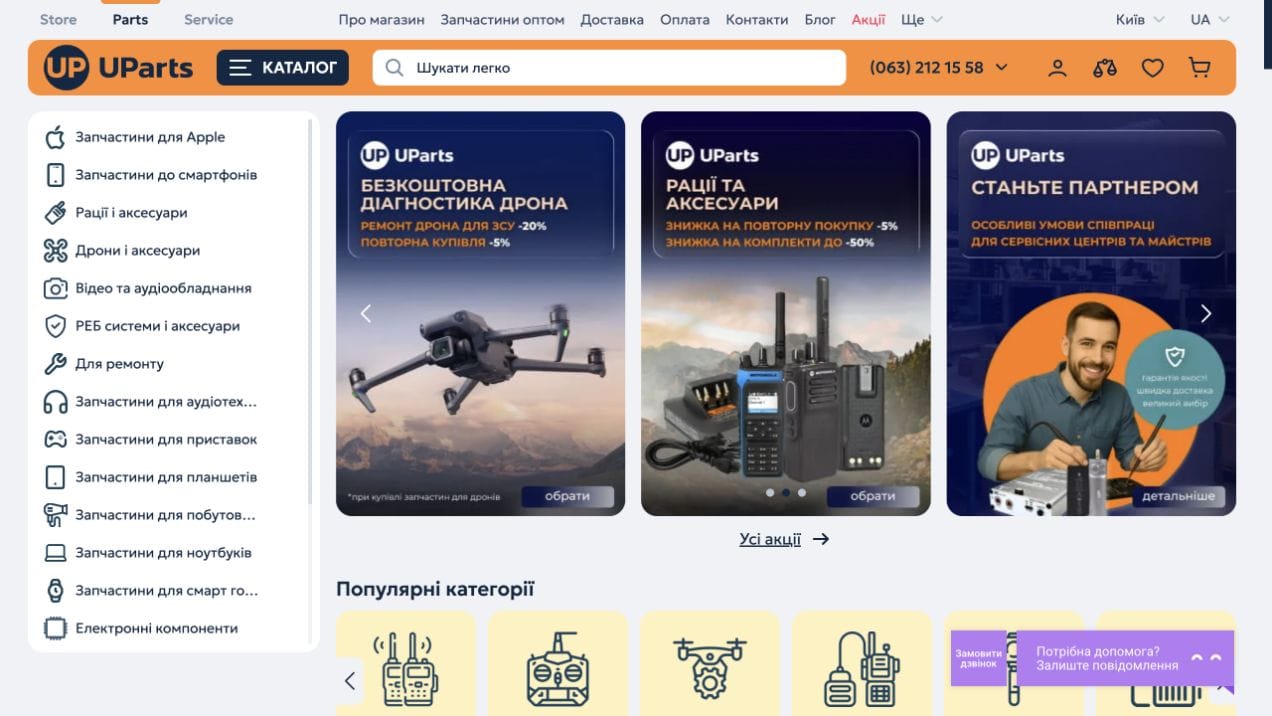


UParts brings together spare parts for smartphones, laptops, tablets and other devices. The store serves individual buyers, repair technicians and service centres. Its catalogue lets visitors move from a device category to a brand, model and part.
The iPhone section includes batteries, displays, housings, cameras and flex cables, a price range filter and links to popular device models. Product pages show the brand, compatible model, part type, quality grade, warranty, availability and price. The display product page also presents additional services, related accessories and a bundle offer.
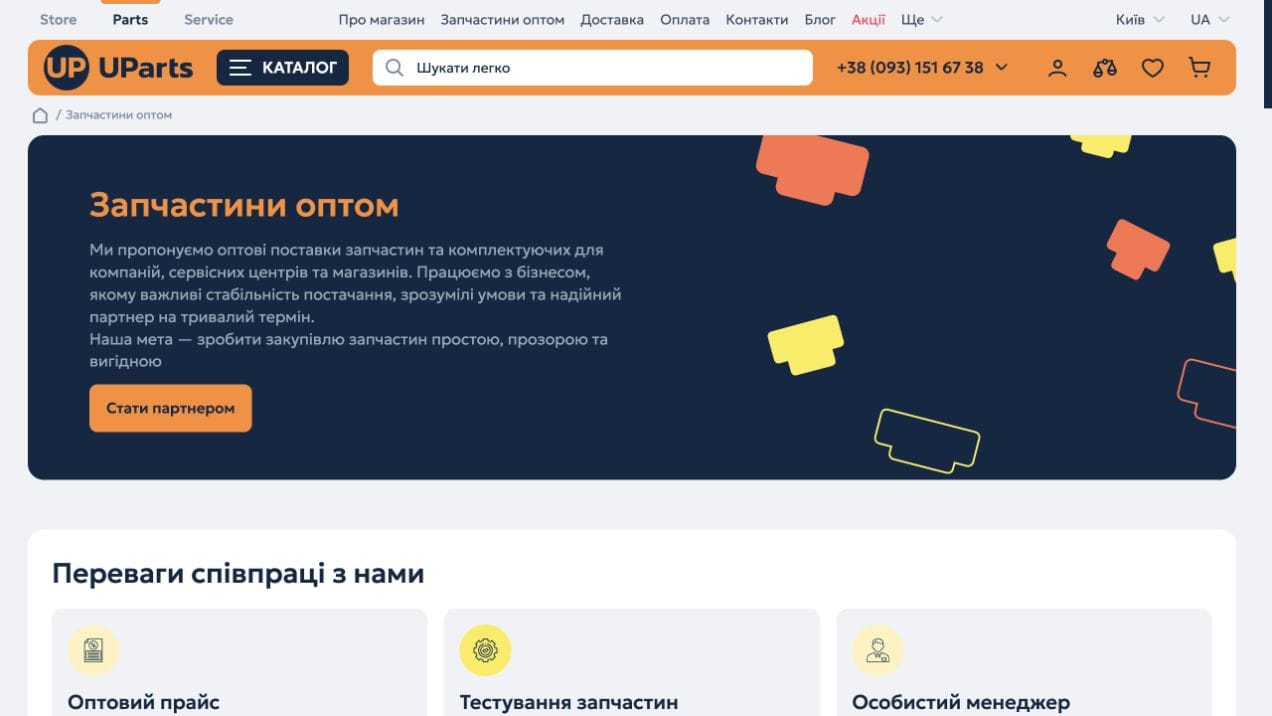
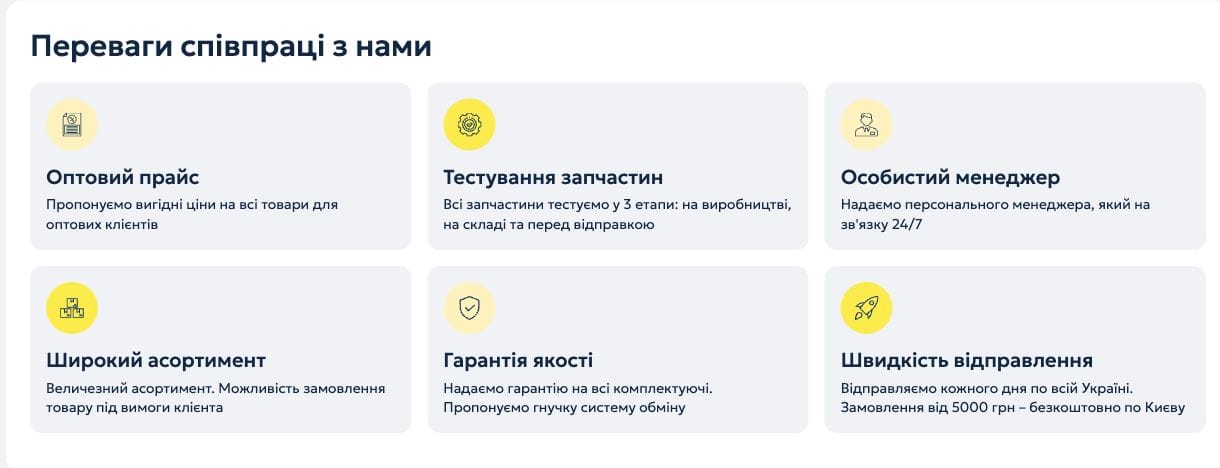
A dedicated partnership page explains cooperation with repair centres and retailers and includes an enquiry form. Wholesale information is also accessible from the product page, giving business customers a separate route alongside retail purchasing.
The interface connects part discovery, specification checks, delivery and payment information with ordering or requesting advice. Navigation links to Store in UA and Service in UA connect device sales, spare parts and repair services.
A typical ecommerce delivery sequence. The description of this case sets out its specific functions and completed scope.
Agree on the assortment, attributes, variations, product data sources and sales rules.

Define the route from product discovery to ordering, page structure and designs.

Connect the catalogue, product pages, cart and account. Implement only the services and data exchanges included in the brief.

Check product data, variations, prices and order journeys; prepare page URLs and metadata.

Agree on deployment, access handover and subsequent improvements. Support is scoped separately.